
Imagine you own or work for an SEO agency and want your website to rank high for “local SEO” and “local SEO services.” The first thing you do is check Google results in the USA and this is what you find:
- For “local SEO” the top 5 results that come up are informational guides explaining what local SEO is and how it works.
- For “local SEO services” the top 5 results that come up are service pages offering to help businesses rank locally.
What does this tell you? Well, it looks to me as though you should create two separate pages, as this will allow you to match what different users want. Your first page needs to be an educational article, while your second one should be a service page. Otherwise, you’ll fail to rank or convert.
That’s how you optimize for user intent, which will ultimately help you increase traffic to your site and drive conversions. Let’s take a look at how you can master this strategy to get the most out of your content and SEO.
What Is User Intent?
User intent is the goal behind a search query. It’s the underlying reason why someone searches for something online, indicating what they truly want to achieve.
For example, if you were to search for “hairdressers near me” you’d be pretty annoyed if you were shown hairdressers from another town or state, because your main intent is to find local businesses.
Search engines like Google know this, which is why they’re designed to prioritize content and pages that match the desired intent of the user, over purely keyword-optimized pages.
Understanding User Intent (With an Example)
Here’s a behavioral example to help you understand exactly how user intent works and how search engines adapt to this:
Let’s say you want to create your very first business card. You’re not sure where to start so you search for “free business card template.”
The first result looks promising, offering free templates for you to take advantage of. But when you click on it, you quickly realize the site you’re on only offers paid options, which is not what you’re after. As a result, you immediately leave the page and click the next result, finding that it actually has free templates. Hoorah!
If you’ve used search engines a lot – and who hasn’t – you’ll know that this happens all the time. But the good thing is, Google notices this pattern and ends up demoting the misleading results. Instead, the more accurate pages that satisfy the “free” user intent are pushed further up in the rankings to match what people are actually looking for.
This is a real-world example of how user behavior reshapes search rankings and why matching user intent is critical for long-term SEO success.
Why User Intent Matters for SEO and Conversions
Good conversions come from good content that matches user intent, which is why it’s so important to make sure your page aligns with what people are searching for online.
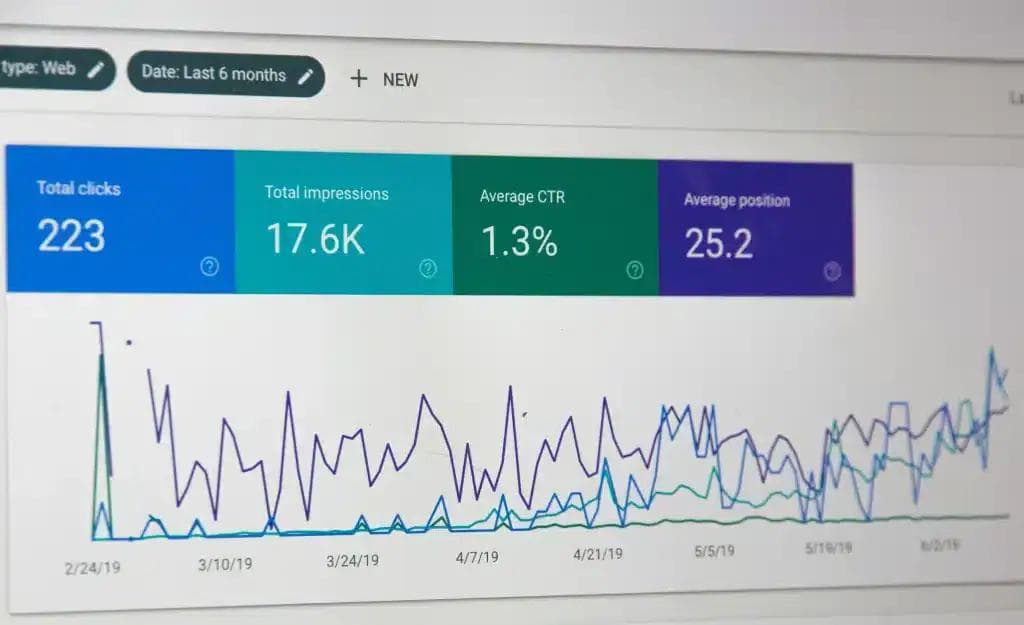
Google measures user satisfaction through a number of key metrics, which can have an impact on where your page ranks on the search engine results page (SERP), as these metrics tend to work as good indicators of user intent.
I’ve put together a simple breakdown of the main behavioral signals that search engines use to understand search queries and which pages meet the user intent best:
| Signal/metric | Definition | Why it matters |
|---|---|---|
| Clicks | The number of users who click on a result from a SERP. | Could suggest that the page title was relevant enough for the user to click, however other factors will add more context to this and have a larger impact. |
| Click through rate (CTR) | The number of users who click on an internal link within the page they’ve selected. | If a user clicks a hyperlink within the article, it suggests the page is relevant. A high CTR could lead to higher rankings. |
| Bounce rate | The number of users who click on a page and then quickly exit it. | This suggests to Google that the user found the page irrelevant when it comes to their initial intent. If this happens enough, a page can lose its ranking. |
| Time on page | Also known as dwell time, this indicates how long a user spent on the page they selected. | More time spent on the page is more likely to indicate that the user found the content engaging and relevant, showing high user intent. |
| Scroll depth | This shows how far the user has scrolled down the page. | Another metric that points towards a higher level of engagement, suggesting the page is more likely to match user intent. |
Each of the listed signals provide insight into how users interact with your page, while also providing clues on whether or not the content on the page matches the user intent. However, keep in mind that no one signal can impact a page on its own, as Google may need a combination of data to determine rankings.
Main Types of User Intent
There are four types of use intent, which I’m going to take you through now, covering what they are and some examples of how they work in practice.
Informational
Who hasn’t used the internet to learn something about a specific topic or to find an answer to a question that’s been bugging them all day? That’s what informational user intent is all about.
There are tons of informational pages online, such as blogs and guides. Even instructional content such as recipes or DIY tips fall under the bracket of informational intent. If the search intent uses “how,” “what,” “why” or some variation of this, it’s backed by the user’s need to find information.
Search examples:
- “how to paint a wall”
- “how to cook lasagne”
- “what is SEO”
- “how to change a flat tyre”
- “why is my computer running slow”

Navigational
Navigational intent is when the user has a specific website in mind, so they already know where they want to go. Imagine you wanted to log into your work Gmail account from home. You’d type “Gmail” into the search bar to get there as quickly as possible, because that’s the only location you’re looking for.
Search examples:
- “Gmail”
- “Amazon”
- “Apple”
- “Instagram login”
- “Canva login”

Commercial Investigation
Searching for product reviews and comparison guides before you make a purchase is all part of commercial investigation. This is when your search is entirely based on research and narrowing down your choices.
Search examples:
- “best smartphone of 2025”
- “Canva vs Adobe Express”
- “Macbook vs Windows ”
- “mattress reviews”
- “top skin care products”

Transactional
User searches are all based on the user’s intent to buy at this point. You’ve done your research and gathered all the information you need on the varying products available, now you’re only looking to make a purchase.
Transactional intent can also cover other factors such as hiring a professional for specific services or signing up for a new subscription.
Search examples:
- “buy iPhone 16 online”
- “order green wall paint ”
- “subscribe to Netflix”
- “sign up for Grammarly”
- “hire an electrician near me”

How to Identify User Intent for a Keyword
To help you understand user intent more effectively, I’ve put together a step-by-step guide. Follow this process and you’ll be on your way to understanding your user intent better than ever.
Step 1: Analyze SERPs
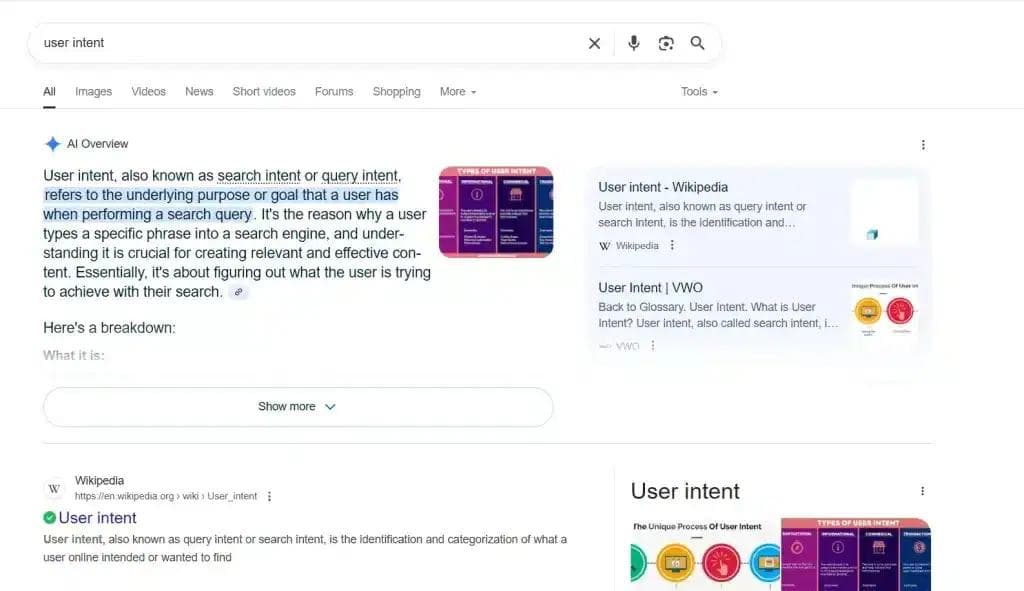
Google’s results pages are great at showing you what searchers are looking for online. All you have to do is type your keyword into the search bar and see what comes up to gain insights into the types of pages that users want to see.
Try doing this in incognito mode to avoid getting biased results based on your search history or use tools like Impersonal Me or the Chrome extension Nightwatch for more neutral results. I’d also recommend using a VPN to see SERPs for other locations.

Step 2: Check the Top 5 Results
Take a look at the content for every page that ranks in the top 5 results to find out what users are finding useful. Are they mainly blogs or guides targeting informational intent? Or service pages that help with commercial investigation? Maybe a bunch of transactional product listings and categories pages come up.
Whatever you find will act as a good foundation for the type of page you need to create for your keyword. I’d suggest ignoring sponsored pages for now, as they represent paid results.
Step 3: Use Analytic Tools for Deeper Insights
Platforms such as SEMrush and Ahrefs can help you gain a deeper understanding of the user intent behind certain keywords, with snapshots that give you an overview of SERPs and content breakdowns.
How to Match Content to User Intent
Once you understand the intent behind why a user has searched for one of your keywords, you can start creating the content to match. With all the above research in your back pocket, all you have to do is emulate what you’ve already discovered.
Let’s take one of the search examples I included earlier. Say you want to match your content to the user intent behind “what is SEO”. Because the search intent is informational, you’ll want to write a blog or guide explaining what SEO is, and from a quick search, it looks as though you should answer the question in the introduction as that’s what the top 5 results do.

As the first thing the user will see, your title and meta description should both include the keyword or phrase in order for it to appear in the SERP. Your content should also follow engaging content rules. Include headings and bullet points to break up the text, making it easier to find the information the user is looking for, preventing them from clicking off too soon and increasing your bounce rate.
Adding internal links to relevant articles that also offer important information can help too and make sure you stay on topic while including relevant keywords. Just remember not to overstuff your blog with too many keywords as this will negatively impact your search rankings.
Examples of Brands Winning with User Intent
A wealth of brands regularly succeed when it comes to user intent, so here are some examples to give you an indication of how they make it work.
Search Engine Land
Again, I’ve used the “what is SEO” example for this one. The top result goes to an article from Search Engine Land, an online resource known for its guides and advice on SEO and marketing. The reason this brand is succeeding for this informational search query is because it covers all the relevant and necessary information the user is after. The article answers the question directly while also offering additional information on why SEO is important, how it works, types of specializations, and more.
Apple
A good example of brand winning when it comes to transactional intent is Apple. Type in any one of their branded products and the first result will also be their official product page. With the Apple name being so big, it stands to reason they’d appear first but there’s more to it than that.
Their product page is easy to navigate, prioritizing simplicity and personalization over anything else. They’ve fully understood what the user is after at this stage of their search, which is why they don’t bombard you with tons of details. All the buyer needs is a name, picture, price, color choices, and payment options, to make their experience as straightforward as possible.
Sephora
If you search “top skincare products” in Google, Sephora comes out on top, linking to a category page of all their bestselling skincare items. The reason this brand wins is because its listing format provides a snapshot of all the different options available for easy comparison.
Each product details the brand, price, star rating based on reviews and the number of reviews that product has, as well as labels indicating desirable features. All a user has to do is skim through the listings to narrow down their options, which is ideal for commercial investigation.
Common Mistakes When Targeting User Intent
Worried you’ll take a wrong turn? Mistakes are all part of learning and there’s nothing wrong with that, but there’s no harm in avoiding them where you can.
In my experience, there are several common mistakes you can make when targeting user intent. This includes:
- Not doing keyword research
If you fail to do your research, you’ll never be able to target user intent. You need to know what your users are searching for in order to create content to target that query, otherwise you’re just left guessing.
- Ignoring user intent
Checking top SERPs for your keywords will give you a good indication of the user intent behind each search term, but if you choose to ignore this or don’t bother checking, then you’ll end up blindly creating content with very little direction and hoping it ranks.
- Not matching content to user intent
Maybe you do your keyword research and you check the top SERPs but then when it comes to creating your page, you don’t use what you’ve learned to match the intent. Missing out key elements could negatively impact the performance of your page.
- Forgetting to update your content
Just because a page has been doing well for a while, doesn’t mean it will stay that way. Google’s algorithms change, your information might become outdated, user intent can see slight fluctuations, not to mention the other pages that will be published over time. So, it’s a good idea to continue optimizing where you can.
How to Continuously Monitor and Adapt for User Intent
You should get into the habit of regularly analyzing the key performance metrics of each page as this will help you focus your efforts on areas of improvement. For example, if you had a page that was previously doing well but has since been pushed onto the dreaded second page of Google, checking behavioral signals could help you understand why.
It may be that user intent has shifted, which means you will have to either adapt the page to the new objective or create an entirely new page that targets that intent. If the user intent is the same, check to see how your bounce rate is looking or if your CTR has dropped. Maybe the content is now out of date and needs additional information or some of the internal links have broken and need fixing.
The best way to monitor these performance metrics is with dedicated software such as Ahrefs or SEMrush, so you don’t have to trawl each and every page yourself. Alternatively, you could outsource these services to an SEO expert, who’ll take care of everything for you.
My free SEO consultation is designed to help you understand which areas require your attention the most, while offering advice on improvements that will help you gain those all-important SEO-related sales. Take a look at some of my recent case studies to see how I’ve helped different brands take their marketing strategy to the next level.
Should You Combine Multiple Intents on One Page?
I’d recommend avoiding this. Trying to target more than one user intent can make things more convoluted than they need to be.
The whole point of user intent is that the searcher is looking for one thing in particular, whether it’s a specific product they want to buy or an answer to a question they’ve been stuck on. If your page is trying to serve multiple intent types, then it will only confuse the user and cause them to leave the page. And if Google notices your page has a high bounce rate, you may be penalised with a lower ranking.
You want your messaging to be clear for every page you create. By combining user intents, your content will suffer, appearing disjointed and out of touch with what the user wants. It’s better to pick one user intent and stick to it.
Final Takeaway — Why Mastering User Intent Is Essential
There’s a lot to learn when it comes to mastering user intent, but prioritizing this as part of your marketing strategy will only improve the overall performance of your website. I’ve shown you how other brands have succeeded in this area and now it’s time for you to do the same.
Take everything I’ve said on board. Remember to do your research and try your best to avoid those mistakes I mentioned. Once you get into the habit of optimizing for user intent, it will become second nature and you should see an uptick in those page views and ultimately your conversions.
If you need further advice on how to master user intent for your website, I’m here to help. Book one of my free consultations and I can transform your SEO strategy, ensuring every page fulfils the required user intent.